JOpt.TourOptimizer on macOS
This page runs JOpt.TourOptimizer in trusted mode on a Mac with Docker Desktop, for development and tests. For production, run it on a Linux server or on Kubernetes.
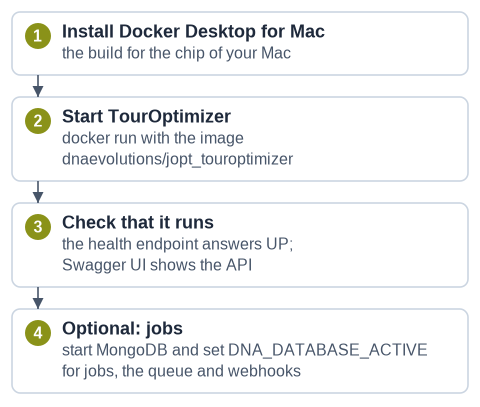
The diagram opens full size on click.
The diagram shows the steps of this page: install Docker Desktop for Mac, then the same steps as on Linux.
Step 1: Install Docker Desktop for Mac
Install Docker Desktop for Mac in the build for the chip of your Mac: Apple silicon or Intel. After the start of Docker Desktop, docker version in the terminal shows the client and the server.
The TourOptimizer image is built for linux/amd64. On a Mac with an Intel processor it runs natively. On a Mac with Apple silicon, Docker Desktop runs it through emulation, which is slower than a native run.
Step 2: Start TourOptimizer
docker run -d --name jopt-touroptimizer \
  --platform linux/amd64 \
  -p 127.0.0.1:8081:8081 \
  dnaevolutions/jopt_touroptimizer:2.1.0
--platform linux/amd64 names the architecture of the image, so Docker on Apple silicon starts it without a warning; on an Intel Mac it changes nothing. TourOptimizer runs in trusted mode, as the user jopt and on port 8081. To pass the default license for jobs without their own license, add --env-file touroptimizer.env with the line DNA_DEFAULT_LIC=<the JSON text of your JOpt license, on one line> in that file. Linux explains each option.
Docker Desktop gives its containers a share of the memory of the Mac (Settings, Resources). The Java heap of TourOptimizer takes up to 75 percent of the memory of its container, so raise that share for large problems.
Step 3: Check that it runs
curl http://localhost:8081/actuator/health
The answer holds "status":"UP", and the Swagger UI answers at http://localhost:8081/swagger-ui/index.html. Docker Desktop shows the container and its log.
Step 4 (optional): Add MongoDB for jobs
For jobs, the job queue, stored results and webhooks, start MongoDB next to TourOptimizer with the Docker Compose file of the Linux page. Add platform: linux/amd64 to the touroptimizer service of that file on Apple silicon.
Related pages
- Trusted mode: the three setups and what the mode needs
- Linux: each option of the container, and MongoDB with Docker Compose
- Settings: every setting with its default
- Getting started: a first run with a REST client
Added: 2026-11-27 | Last updated: 2026-11-27