JOpt.Solve
JOpt.Solve is the visual workspace for route optimization with JOpt.TourOptimizer. It is made for planners, consultants and developers who want to see a planning problem before they solve it, and understand the result afterwards. Instead of writing input files by hand, you place customers, depots and vehicles on a map, set their opening and working hours, and start an optimization with a few clicks.
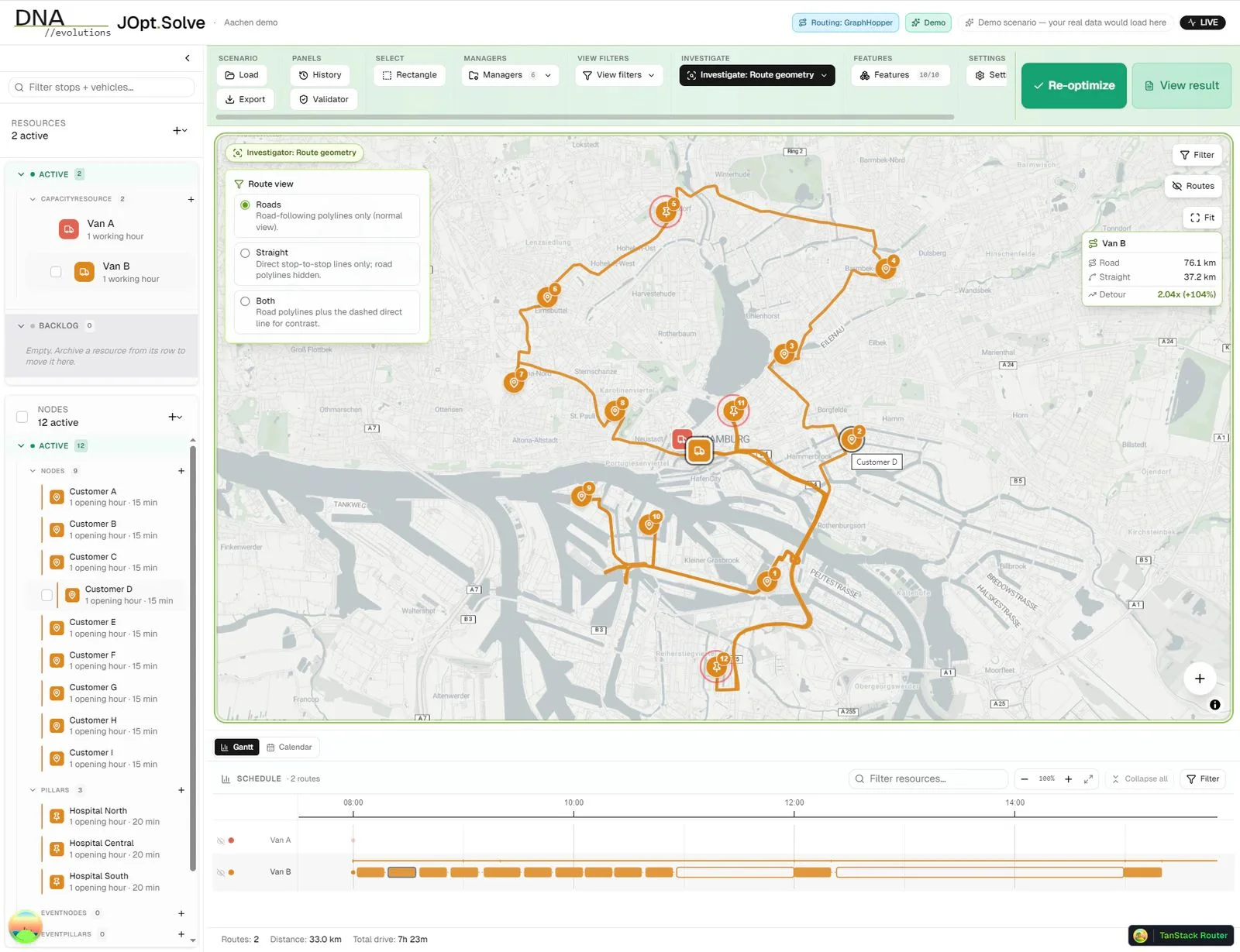
In-development screenshot of the JOpt.Solve beta, a look behind the scenes: two vans serve twelve stops, the map shows Van B's road route, and the Gantt view below shows the day's schedule.
What you can do in JOpt.Solve
Build scenarios on an interactive map. Stops, vehicles, opening and working hours, zones, types and relations are edited in a sidebar next to the map. A validator points out problems before a run starts.
Run optimizations with clear limits. Every run gets a time budget, an optional early stop once the result no longer improves, and a choice between a cold start and a warm start that keeps or reassigns existing assignments.
Inspect every tour. Routes appear on the map, a Gantt view shows each vehicle's day, and a result viewer lists the details. Road and straight-line distances can be compared per vehicle.
Work with real road data. Road routing, distance matrices and address lookup come through JOpt.TourOptimizer, from the geo providers enabled for your account.
Keep track of your jobs. The job manager lists running and finished optimizations, loads any result back onto the map, and lets you stop, cancel or delete a job. Scenarios and results can be exported.
How JOpt.Solve works with JOpt.TourOptimizer
JOpt.Solve talks only to JOpt.TourOptimizer's REST API. Every optimization it starts is a regular TourOptimizer job, so a scenario built in the workspace runs exactly as it would from your own integration, and the same jobs are available through the API. That makes JOpt.Solve a good place to design and test a model before it moves into production code.
Access to JOpt.Solve
JOpt.Solve is currently in beta. For access, use the contact page.
Related pages
- TourOptimizer REST Server: the REST API that JOpt.Solve calls
- Sandbox quickstart: run JOpt.TourOptimizer locally in Docker
- API Reference & Testing: the OpenAPI schema of JOpt.TourOptimizer
- Contact: access to JOpt.Solve and other questions to DNA Evolutions
Added: 2026-11-13 (JOpt core 8.0.0-j25) | Last updated: 2026-11-13